
Writing release notes at the end of a sprint is a tedious chore that usually results in vague updates like "Fixed bugs and updated files." Your clients, project managers, and fellow developers deserve to know exactly what changed without scrolling through a messy git log history.
The solution isn't to work harder; it is to standardize your commit entries.
By pairing the Conventional Commits specification with automated Git hooks, your workspace can dynamically update a beautiful, hyper-accurate CHANGELOG.md file every time you tag a new software version.
Step 1: Core Architecture — Conventional Commits
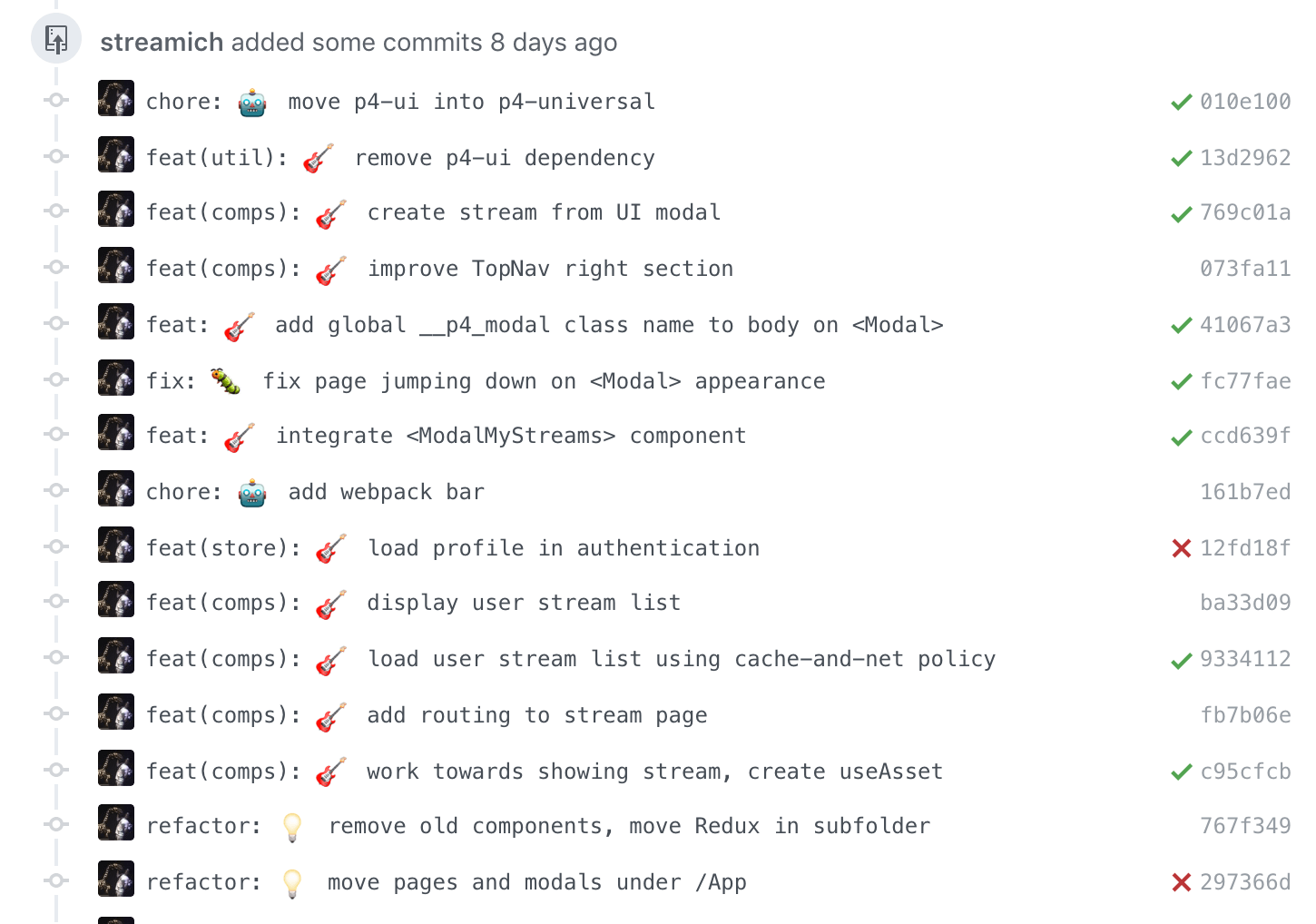
Automated changelogs only work if your computer can read and categorize your commit messages. Conventional Commits provide a strict structure that looks like this:
<type>(<optional scope>): <description>

[optional body]
[optional footer(s)]
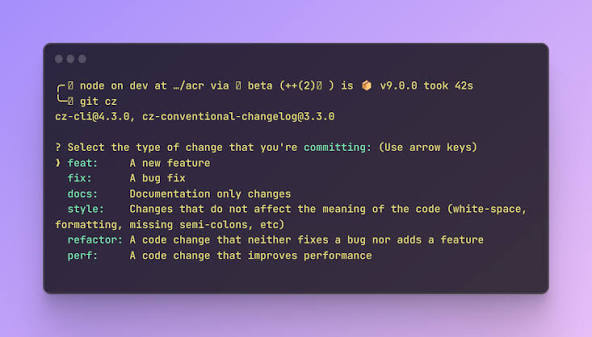
Common Types:- feat: A brand new application feature for the user.
fix:A bug resolution or patch.docs:Documentation changes only.style:Formatting, missing semicolons, or design updates (no code logic changes).refactor:Code changes that neither fix a bug nor add a feature.
Step 2: Enforcing the Standard with commitlint
Before we generate a changelog, we must block non-conforming commit messages. We can tie this verification step right into our existing pre-commit framework using commitlint.
- Open your project's
.pre-commit-config.yamlfile. - Append the following block to install the validation engine:
- repo: https://github.com

  rev: v9.16.0
  hooks:
    - id: commitlint
      stages: [commit-msg]
      additional_dependencies: ["@commitlint/config-conventional"]
- Create a configuration file named
commitlint.config.jsin your root folder to load the standard definitions:
module.exports = { extends: ["@commitlint/config-conventional"] };
- Register the message hook with your local Git subsystem:
pre-commit install --hook-type commit-msg
Now, if you try to type a lazy message like git commit -m "fixed stuff", your terminal will promptly reject it, forcing your message structure to stay uniform.
Step 3: Setting Up the Automated Changelog Pipeline
To extract these standardized logs into a markdown file, we will use Commitizen and Standard-Version (or its modern equivalent, cliff-or-cz). For maximum flexibility across any development environment, we will use a lightweight Python tool named cz-cli or Node-based standard-version.
Let's configure it via NPM for general engineering environments:
npm install -g standard-version
Add an execution shortcut script to your project's package.json file:
{
  "scripts": {
    "release": "standard-version"
  }
}
When you execute your new command, the runner automates a multi-step workflow:
- It reviews all commit logs since your last tag.
- It bumps your project version number following semantic versioning rules (
v1.0.0->v1.1.0). - It generates or updates your
CHANGELOG.mdfile dynamically. - It creates a local git tag for the new release.
Step 4: The Post-Commit Automated Hook
If you want the changelog update process to trigger entirely behind the scenes whenever a release or merge happens, you can link it directly into your git workflow using a post-commit hook.
Create a file named .git/hooks/post-merge (or configure it in your pipeline tools):
#!/bin/bash
# Check if the last commit was a formal release version switch
if git log -1 --pretty=%B | grep -q "chore(release):"; then
    echo "Release commit detected. Pushing updated documentation..."
    git push --follow-tags origin main
fi
The End Result: Your New CHANGELOG.md
The pipeline aggregates your individual commits and transforms them instantly into clean markdown:
1.2.0 (2026-06-29)
Features
- auth: added interactive two-factor authentication flow (
a1b2c3d) - terminal: injected carapace subcommand engine (e5f6g7h)
Bug Fixes
- profile: resolved broken path lookup inside windows systems (z9y8x7w)
Wrapping Up
By delegating your documentation to a structured commit linting framework, you completely delete release coordination overhead. Your code history stays searchable, your changes remain organized, and your project stakeholders get crisp release descriptions updated completely on autopilot.